Utah Reefs Homepage
  New Posts New Posts RSS Feed - Camera Help?
  FAQ FAQ  Forum Search   Events   Register Register  Login Login

Camera Help?

 Post Reply Post Reply
Author
Suzy View Drop Down
Guest
Guest
Avatar

Joined: January 03 2003
Status: Offline
Points: 7377
Post Options Post Options   Thanks (0) Thanks(0)   Quote Suzy Quote  Post ReplyReply Direct Link To This Post Topic: Camera Help?
    Posted: February 16 2006 at 8:39am
Hi, Guys! I was at this fish nerd get together a few weeks back, and
Shane Heil let me mess with his KodakEasyshare Z740. It is so cool I went
and bought one! We've taken it on vacation and got some really fun
memories recorded.

So, now I'm home in boring Utah! So, can someone help learn how to
post pics here? I have been using my mac's iPhoto for years and I really
love making movies and slideshows and stuff, but when it comes to
sizing pics, I'm somewhat confused! I've found that I can resize then to
around 250 whatevers and the MB will let me post them, but how do I get
the pic to fill the monitor screen? I feel like I could have my pics be just
big enough to fill the screen but not too big so you have to arrow
sideways to see the whole pic.

Anyone know iPhoto? and can translate computerspeak into blonde?

I could use the Kodak easyshare software also. Can anyone teach me that?

Back to Top
Shane H View Drop Down
Presidency
Presidency
Avatar

Joined: March 09 2003
Location: Brigham City
Status: Offline
Points: 7921
Post Options Post Options   Thanks (0) Thanks(0)   Quote Shane H Quote  Post ReplyReply Direct Link To This Post Posted: February 16 2006 at 3:38pm
Suzy,
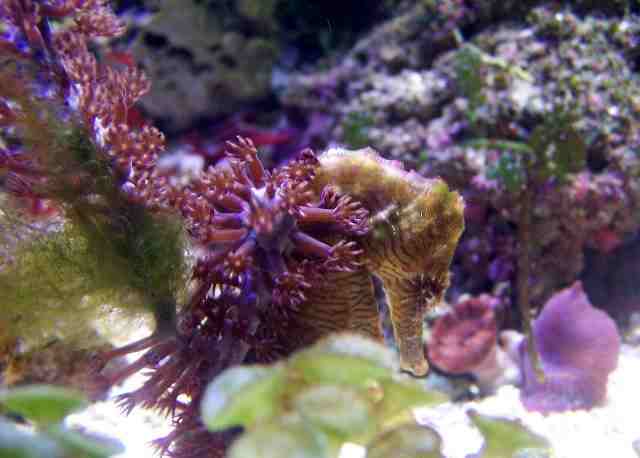
I think the photo size you posted is perfect for the MB. Nice shot.
Back to Top
jfinch View Drop Down
Guest
Guest
Avatar

Joined: March 06 2003
Location: Pleasant Grove
Status: Offline
Points: 7067
Post Options Post Options   Thanks (0) Thanks(0)   Quote jfinch Quote  Post ReplyReply Direct Link To This Post Posted: February 16 2006 at 4:02pm

You should be able to keep your pictures around 640x480 and under 60 Kb.  I think 250 pixels is too small.  This picture is actually smaller in size then yours:


You need to resize to 640x480 or some similar size then reduce quality until it's under 60K.

Back to Top
Suzy View Drop Down
Guest
Guest
Avatar

Joined: January 03 2003
Status: Offline
Points: 7377
Post Options Post Options   Thanks (0) Thanks(0)   Quote Suzy Quote  Post ReplyReply Direct Link To This Post Posted: February 16 2006 at 5:05pm
I swear these fish have eyelashes!

Thanks, Shane! For the compliment on the pic AND the cool camera! I
really love it!

So, it is a 2 step process? First, I need to resize to 640x480 pixels then
export again to be 60 kb?


Back to Top
dkle View Drop Down
Guest
Guest
Avatar

Joined: February 15 2004
Location: Taylorsville
Status: Offline
Points: 1784
Post Options Post Options   Thanks (0) Thanks(0)   Quote dkle Quote  Post ReplyReply Direct Link To This Post Posted: February 16 2006 at 9:43pm
Hi Suzy,

I use Iphoto to edit my pictures as well.   You can take a look at my recent picture posts to see my work.   PM me if you're interested and maybe I can walk you through the steps that I use? (it's just too much to write it out).  I'm not a computer geek by any means so I don't know much details; just enough to make it work.
If you can't bedazzle them with your brilliance, baffle them with your bs!
Dinhkim Le - Procrastinator extra-ordinare
Back to Top
Suzy View Drop Down
Guest
Guest
Avatar

Joined: January 03 2003
Status: Offline
Points: 7377
Post Options Post Options   Thanks (0) Thanks(0)   Quote Suzy Quote  Post ReplyReply Direct Link To This Post Posted: February 17 2006 at 8:29am
Thanks! We'll have to get together sometime? We are not too far apart,
actually.
Back to Top
 Post Reply Post Reply
  Share Topic   

Forum Jump Forum Permissions View Drop Down

Forum Software by Web Wiz Forums® version 12.03
Copyright ©2001-2018 Web Wiz Ltd.

This page was generated in 0.219 seconds.